
It’s been a little over a month since I started using Tidepool DIY Loop, and I just had to share how much I’m loving it. You probably know I’m a big fan of making life with diabetes as easy as possible, and this system has been a total game-changer for me.
I’m so proud of myself for building the app and getting it set up, and I want to share some of the biggest things that have made such a huge difference for me personally.
Please note, this post is not medical advice. Make sure to consult with your healthcare team before making any changes to your diabetes management routine. Open source apps are experimental and not FDA-approved. You take full responsibility for building and using these apps.
Why I’m Loving Tidepool Loop
Here’s what I am loving most about looping so far:
Ability to use My Favorite Tech
Even though I love trying out new systems, I tend to be a creature of habit, especially when it comes to my diabetes tech. I’ve tried other CGMs, but I always come back to my Dexcom G6. While it’s not perfect, I’m comfortable with it, and so far, it is the most accurate of any of the CGMs I have tried personally.
Loop allows me to use my Dexcom G6 and Omnipod (Omnipod Dash – an older version of Omnipod) together. I love being tube-free, and this setup gives me the flexibility and features I’ve always wanted.

Control from My Apple Watch
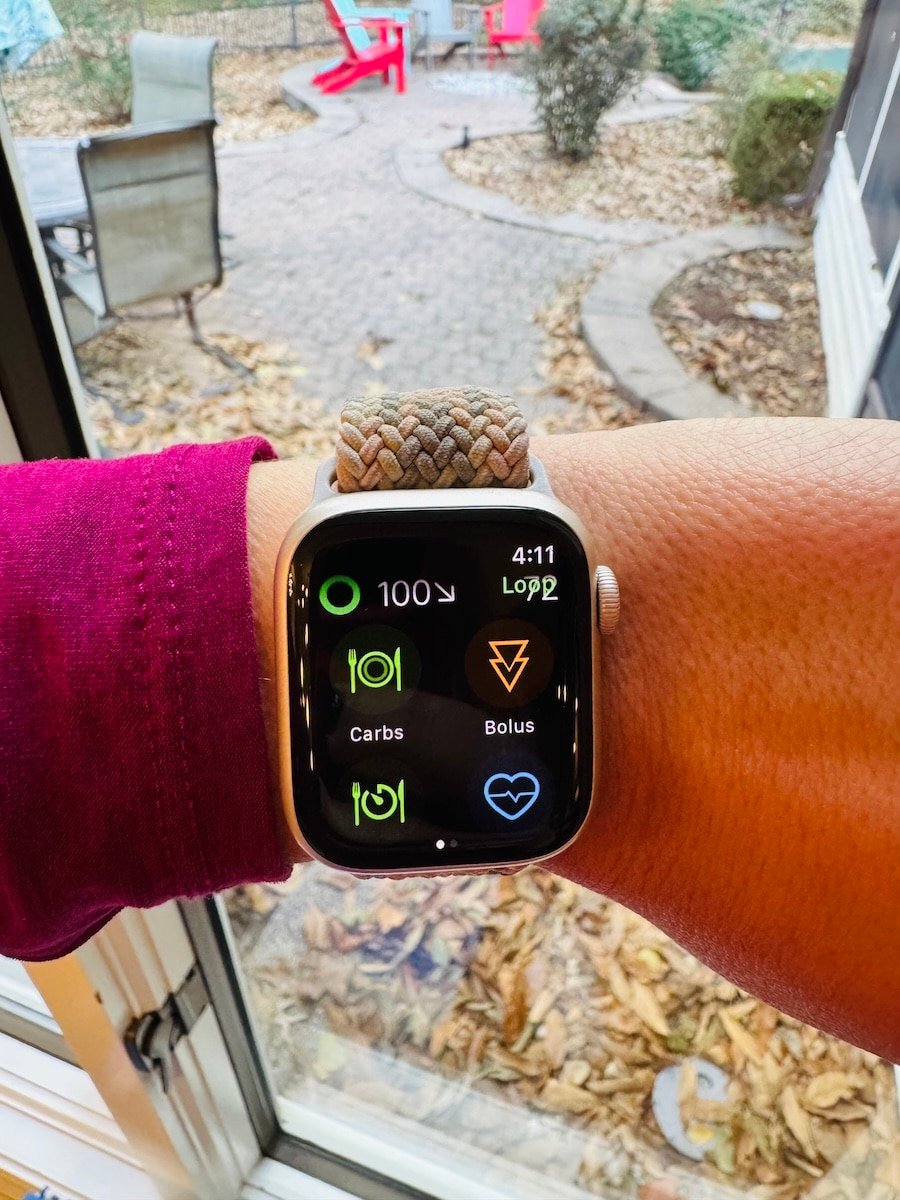
This is one of my favorite features. I have a complication right on my watch screen that gives me so much control. With just a tap, I can see my blood sugar, enter carbs for a meal, give a manual bolus, turn on my pre-meal preset, and turn on any of my other custom presets. Although my phone still has to be nearby, I don’t feel as tied to it.
Presets and Overrides
I use the pre-meal preset all the time! It’s fantastic for getting my blood sugar into a reasonable range before I eat, and I also use it to bring down high blood sugars more quickly throughout the day.
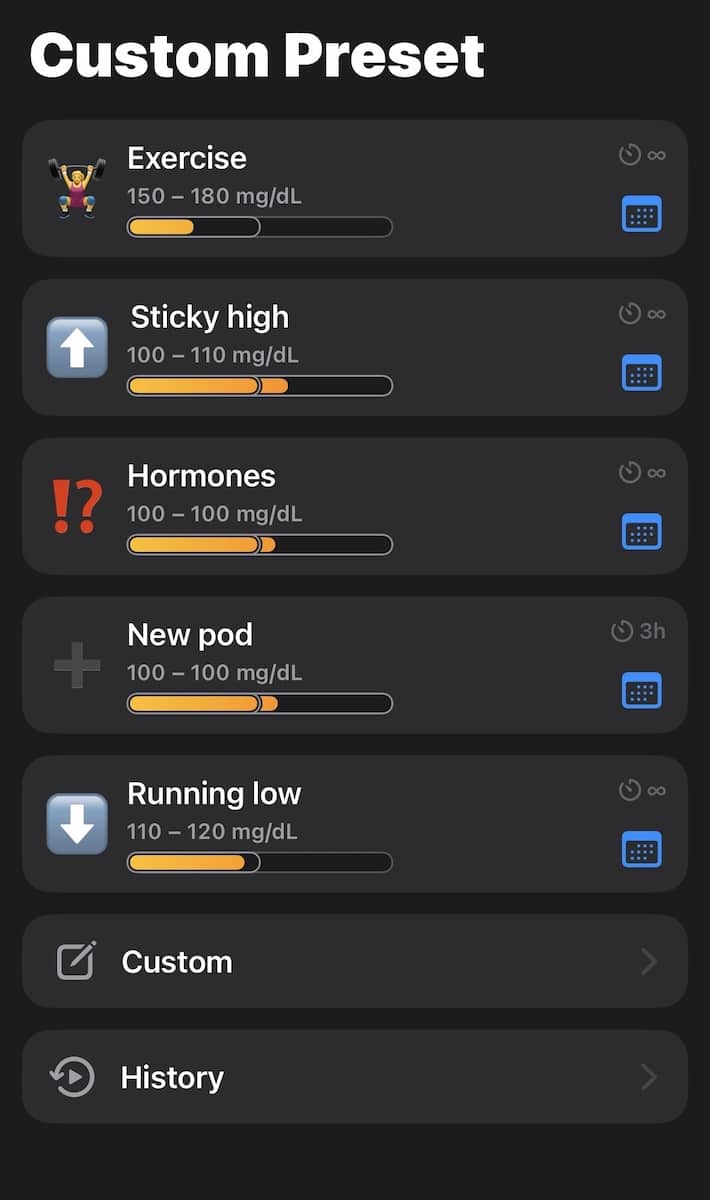
I’ve also been having a lot of fun creating custom overrides for different situations. So far, I’ve made ones for hormones, sticky highs, new pod changes (it tends to take a few hours for my insulin to start absorbing normally after changing my pod), exercise, and one for days when I am running low. These overrides automatically adjust my basal and bolus insulin, which takes so much of the guesswork out of my day.
Predictive Power and Data at a Glance
I love seeing my predicted blood sugar for the next six hours. It helps me stay ahead of trends. I also have an easy-to-read dashboard that shows my active insulin and active carbs at a glance. It keeps me accountable and encourages me to be accurate with my carb counting, which is a win-win.
I also used Nightscout Pro to create a Nightscout account. The amount of data and reports you can see on Nightscout is incredible!
My Best TIR Ever
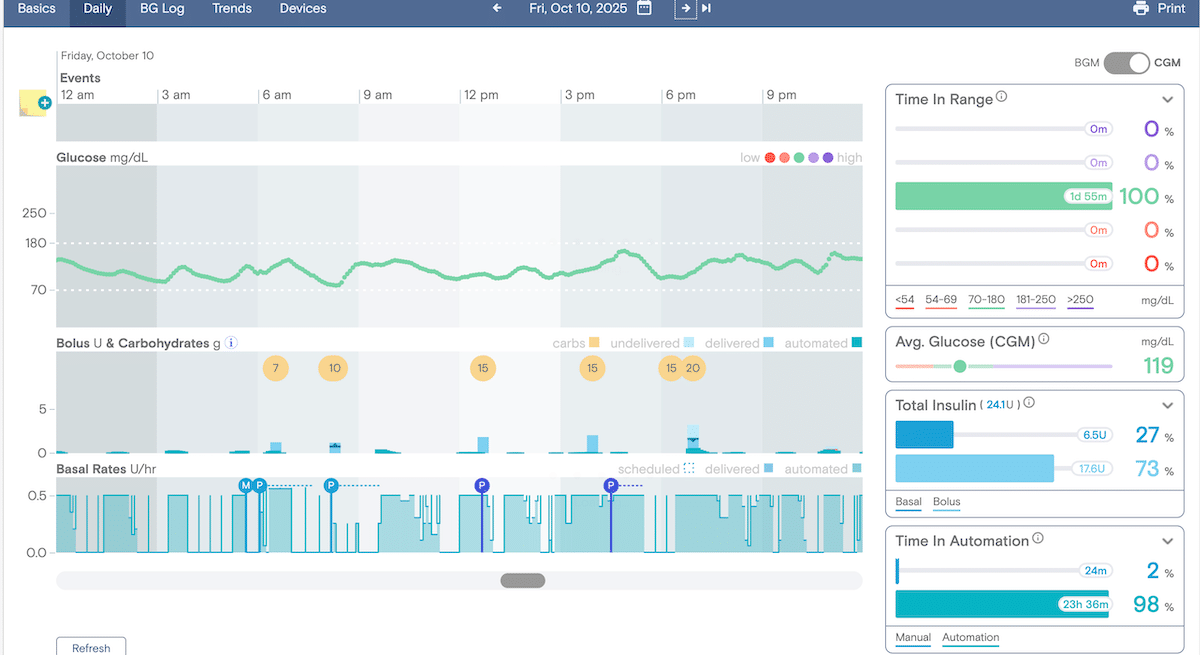
I have never had better Time in Range (TIR) than I do now that I started using the DIY Loop. I’ve even had multiple days with 100% TIR, and I’m so excited to see what my next A1C will be! Being able to set lower targets (my target is 100-110 right now, but I might lower it further in the future) and the automatic bolus dosing strategy have made a huge difference.
Remote Control for Parents or Family Members
While this is not something I personally need, the ability to use Nightscout for remote control is a fantastic feature for any parent of a child with type 1 diabetes. I know how vital remote monitoring is for parents, and I wish this had been available to my family when I was growing up.
Support Network
There are several Facebook groups available for anyone using Loop, and the community is incredibly supportive and helpful. If you have a question, you can post in one of the groups and you will get help right away. I posted a question about finding an Endocrinologist in my area who is supportive of Loop, and I got several recommendations within hours of posting.
Why Tidepool Loop Might Not Be the Right Fit for Everyone
While I clearly have nothing but positive things to say about Tidepool Loop, I know it isn’t ideal for everyone, especially if you’re newer to diabetes or just getting started with an insulin pump. The system has some advanced settings and features that can feel overwhelming at first.
If technology tends to stress you out, Looping might not be the best option either. It requires you to build the Loop app yourself, keep it updated, and occasionally troubleshoot when issues pop up. If you tend to prefer a more hands-off approach, a traditional automated insulin delivery system such as Omnipod 5, Beta Bionics, Medtronic, or Tandem may be a better fit.
If you are interested in the features of DIY loop but nervous about the tech piece, Twiist could be a great alternative. Twiist uses an older version of the Tidepool algorithm, which is FDA-approved, and does not require building or maintaining an app.
Final Thoughts
This system has truly changed my life for the better, I’m so glad I finally took the plunge. It’s given me so much more freedom and confidence in managing my diabetes.
I am still tweaking some settings and learning how to view all of my data in Nightscout, but my TIR and A1C have already shown slight improvement.
If you want to try looping but need some extra support, or if you are looking for help fine-tuning your settings, you are welcome to schedule a session with me!